What this comparison really depends on
Most people frame this as "automatic versus manual" and stop there, but the real split is about where the data comes from. A manual timesheet is a record you author from recollection. Git-based tracking is a record reconstructed from artifacts you already produced. One asks you to be a reliable narrator of your own day. The other reads the trail you left behind. That difference is the whole comparison.
Quick Answer
Git-based time tracking is more accurate than a manual timesheet for one reason: it captures work as it happens instead of asking you to remember it later. A manual timesheet is built from memory at the end of the day or week, and memory is unreliable about time, with estimation studies putting the average error near 40%. Git-based time tracking starts from your real commit history and reconstructs hours passively, with nothing to start or stop. The honest caveat: git history alone is a benchmark, not a precise clock, because in the AI era a huge commit can land in seconds and a one-line commit can follow an hour of thinking. The accurate version pairs that git baseline with lightweight telemetry that observes actual activity. Pick a manual timesheet if you bill a lot of non-coding work you need to label by hand. Pick git-based tracking if most of your output is code and you want honest hours without the discipline tax. Below is the side-by-side, where each one breaks, and how to get the accuracy without the busywork.
If you have ever sat in front of a blank timesheet on a Friday trying to remember Tuesday, you already know the weakness of the manual model. It is not dishonesty, it is encoding. People remember effort and difficulty, not elapsed minutes, so the hard debugging session gets inflated and the three small tasks that quietly ate the morning vanish. The result is a number that is confidently wrong in several directions at once. We covered the mechanics of this in why manual timesheets lie, and the short version is that a memory-based log measures how work felt, not how long it took.
Git-based tracking removes the narrator. Your commits, branches, and the cadence of activity around them are evidence that already exists, so the question shifts from "what do you remember" to "what does the record show." That is a better question to build billing and planning on. The catch is that git on its own answers it only roughly, which is the nuance the rest of this page is about.
Git-based time tracking vs manual timesheets compared
Before the table, one note on how to read it. "Passive" means the tool records without you starting anything. "Code-aware" means it understands commits, projects, and languages rather than a label you typed. "AI sessions" means it captures terminal and agentic coding (Claude Code, Cursor, Codex), which in 2026 is a large and growing share of how real work ships and a total blind spot for a hand-entered timesheet.
| Dimension | Git-based time tracking | Manual timesheet |
|---|---|---|
| Capture model | Passive, reconstructed from real work | Manual, entered from memory |
| Data source | Commit history plus activity telemetry | Whatever you remember and type |
| Accuracy driver | Observed activity, calibrated over time | Recall, which research puts near 40% off |
| Effort per day | None after setup | Several minutes, every day, forever |
| Code-aware | Yes (projects, languages, commits) | No |
| Non-coding work | Weak unless it touches a repo | Strong, you can log anything |
| AI / terminal sessions | Captured by the CLI tracker | Only if you remember to write it down |
| Defensible to a client | High, audited to source | Low, self-reported |
| Best at | Honest coding hours, proof of work | Mixed billable work across any task |
Manual timesheets: flexible, familiar, and quietly inaccurate
Most teams reach for a manual timesheet because it is flexible and everyone already understands it. Tools like Toggl and Clockify are built around this model: you start a timer or fill a grid, tag the entry to a client or project, and get a clean billing report across any kind of work, coding or not. If your week is a blend of code, calls, design, and admin, that flexibility is the point, because the timesheet does not care what the work was. You can log a client call as easily as a pull request.
That flexibility is also the weakness. The moment capture depends on you remembering to start a timer or fill a row, the data inherits every gap in your attention. You will often see a developer forget to stop a timer over lunch, or reconstruct a whole afternoon on Friday because they were too deep in the work to log it live. Toggl and Clockify are good tools for what they are, and for non-coding billable work they are often the right call. But for coding specifically they are blind to the one thing that matters most, which is what happened in the code while you were heads-down. If you are leaning toward a timer-based workflow for billing, the honest trade-offs are worth reading in our Clockify and Toggl-style alternatives roundup and the dedicated Toggl alternative and Clockify alternative pages.
Git-based time tracking: passive, code-aware, and honest about its limits
Git-based tracking starts from the opposite premise. Instead of asking you to author the record, it reads the one you already created by working. Every commit is a timestamped artifact, and the rhythm of commits and changes around them sketches the shape of a working session without a single button press. For anyone whose output is mostly code, this is a much better foundation, because the evidence is already there and it does not depend on you remembering anything. We walk through the full setup in how to track coding time from git.
Commit history alone is a benchmark, not an accurate clock, something most "git time tracking" pitches skip. In 2026 that gap is wider than ever: an AI agent can generate a 600-line diff in seconds, and a one-character fix can follow an hour of thinking that left no commits at all. So if a tool claims it reads precise hours from your git log and nothing else, treat that claim with suspicion. The commit graph tells you roughly where and when work happened, not exactly how long it took. This is the honest limit of the pure-git approach, and estimating hours from commits goes deeper into why the naive version drifts.
How git-based tracking gets accurate
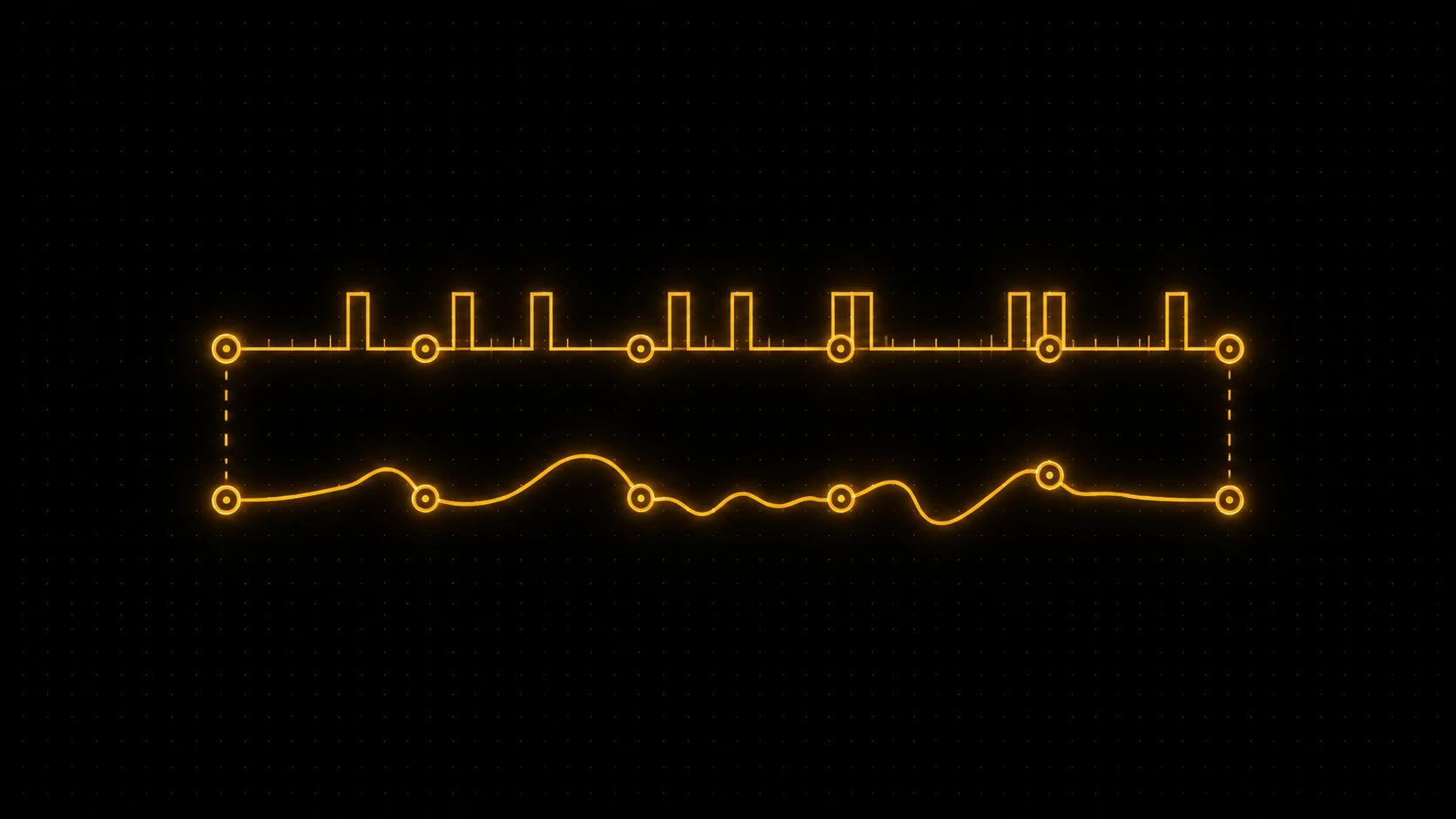
The fix is to give git a second source, not abandon it. The accurate version of git-based tracking pairs the commit baseline with lightweight telemetry: real activity events captured by an editor extension and an editor-agnostic CLI that also sees terminal and agentic coding. The git baseline needs no per-editor plugin and works on day one. The telemetry layer observes work as it happens, so an algorithm can learn the relationship between commit-level data and real activity over time and produce calibrated, honest hours. Git says roughly when and where. Telemetry says how long, for real.
This is what separates a credible coding-time number from a guess. A manual timesheet has one unreliable source, your memory. Pure git has one approximate source, your commits. Calibrated git-based tracking has two sources that check each other, which is why its hours hold up when a client or a manager pushes back. It also captures the AI-assisted work that both other methods miss, because when Claude or Cursor writes much of the diff, the commit no longer reflects your effort and a hand-entered row never will. The CLI sees that session directly.
Pick git-based tracking if, pick a manual timesheet if
The decision comes down to what your week is made of and how much you trust your own recall. Use this as the tie-breaker rather than defaulting to whatever your team already runs.
Pick git-based time tracking if most of your output is code, you want honest hours without a daily logging habit, you ship with AI tools and need that work counted, or you need numbers that survive scrutiny because they are audited to source. This is the better call for developers, freelancers billing coding work, and founders proving build velocity.
Pick a manual timesheet if a large share of your billable time is not code (client calls, strategy, design, project management), you need to label every entry by hand against a specific client or matter, or you genuinely prefer the control of starting and stopping a timer yourself. For mixed-work billing, a good manual timer is still the cleaner fit, and there is no shame in running one.
The two are not mutually exclusive, either. Plenty of people let git-based tracking handle the coding hours passively and keep a manual timer only for the non-coding slices, so the part of the week that resists automatic capture still gets logged.
Where DevClocked fits
If your week is genuinely spread across meetings, design, and client management with coding as a minority slice, a general manual timer like Toggl or Clockify will serve you better than anything code-first, and a plain spreadsheet is fine when you bill in rough half-day blocks and nobody disputes it. DevClocked is not trying to be your all-purpose timesheet for non-coding work.
Where DevClocked wins is the case this whole comparison circles: you want accurate coding hours and proof of what you shipped, without a daily logging tax. DevClocked leads with leverage and output, measuring what you and your AI coding agents produced rather than minutes in an editor, using the git baseline plus telemetry as the mechanism underneath. It surfaces that as a profile that proves what you shipped, audited to source, and turns real hours into timesheets and invoices for freelancers. Full disclosure: I build DevClocked, in public as @builtbysketch. The reason it leans git-plus-telemetry rather than pure git is exactly the limit named above. A commit graph is a benchmark, and accurate hours need the activity layer too.
The deeper point: claims versus proof
Step back and both methods are really answers to a trust question. A manual timesheet is a claim. You are asserting that Tuesday held six hours of work, and the client either believes you or does not, because there is nothing underneath the number but your word. That is fine until someone asks for evidence, and in a world where AI writes a growing share of the code, "trust me, it took this long" is getting harder to accept at face value.
Git-based tracking, done properly, replaces the claim with a record. The hours trace back to commits and observed activity, so the answer to "how do I know" stops being "you have to take my word" and becomes "here is the trail." That is the quiet difference that matters most. The industry runs on self-reported signals, and the durable advantage goes to whoever can show the work instead of describing it.