Trackers
VS Code
Capture edits, debugging, and assisted coding activity straight from VS Code as you work.
Automatic Time Tracking for Developers
DevClocked captures every coding session and every AI agent run automatically, across your IDE, terminal, and browser. No timers. No screenshots. Just your real day, to the minute, with timesheets and invoices that write themselves.
Quick answer
DevClocked automatically tracks how developers spend their time, including every AI agent run and its token cost, across your IDE, terminal, and browser. No timers, no screenshots. Real work sessions become timesheets, reports, and invoices that write themselves.


Your real day, to the minute
94 minutes coding, three hours fighting config, four agents across three repos, the proof block no timer, Git graph, or token bill can give you. Captured at the source, reconciled while you sleep.
Your day, reconciled
Captured at the source. No timer, no Git graph, no token bill needed.
Real coding
94m
Config & plumbing
3h 04m
Review & debug
52m
Agent runs
4
Repos touched
3
Ready to timesheet
6h 41m
Zero clicks to produce this. DevClocked watched the work and did the math.
Why every other tracker falls short
You don't fill in a timesheet at the end of a day pair-programming with four agents across three repos, you guess. DevClocked removes the guess.
The tracking is automatic. Sessions across VS Code, Cursor, Terminal, and Chrome are detected and logged without a single click.
Agent runs, token spend, and the hours behind them show up as first-class work, the thing every other tracker is blind to.
Config, debugging, repo-switching, and orchestration are separated from feature coding, so you see where the day actually went.
No screenshots. No keystroke logging. We measure what shipped, not whether you were watched.
Automatic capture
The moment you start working, DevClocked opens a session and splits it into Work Blocks, each one mapped to the repo and project it belongs to, with every agent turn and its token cost attached. No timers, no tagging, no end-of-day reconstruction.
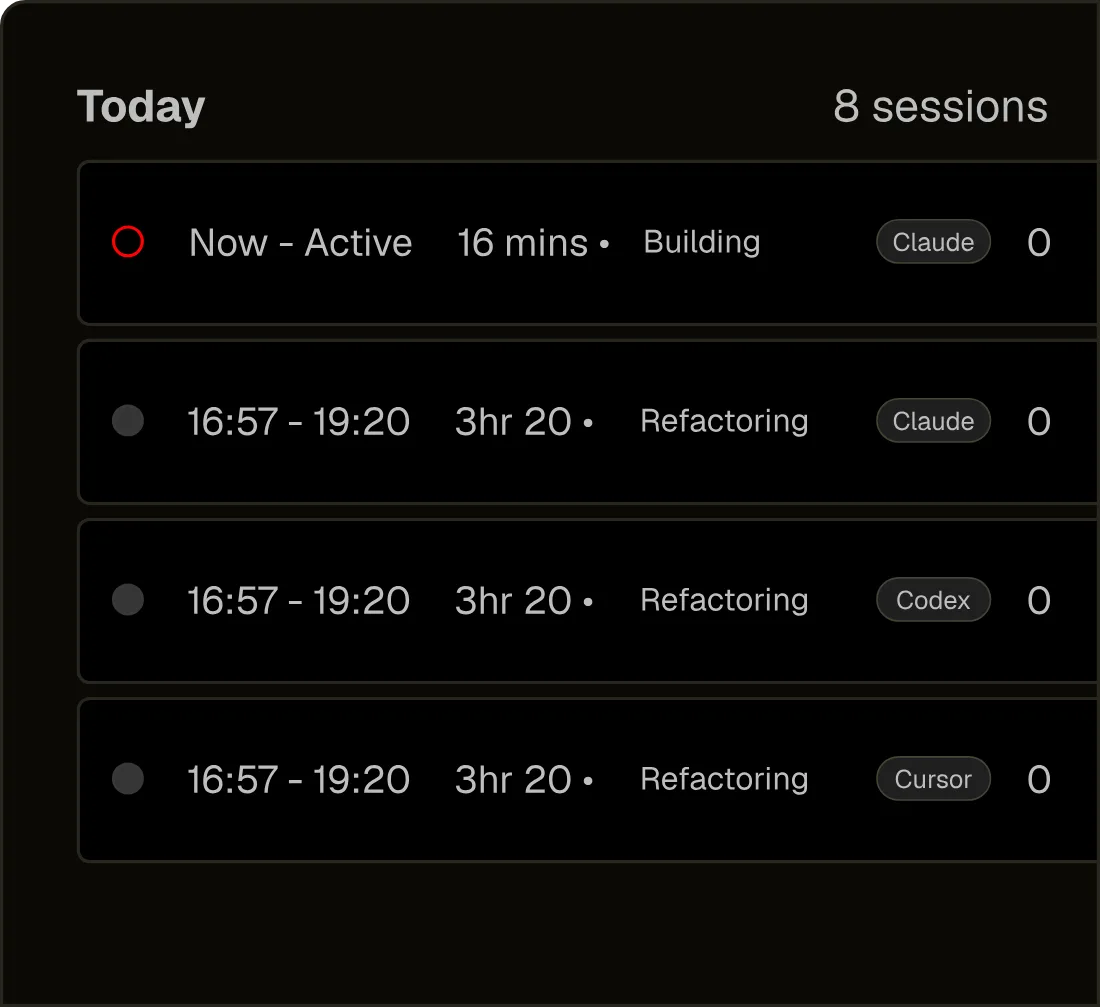
Session analysis
Every session is scored: a productivity signal, how aligned the work was to the project, and real code time versus config and context-switching. The detail a commit graph and a token bill can never show you, side by side.
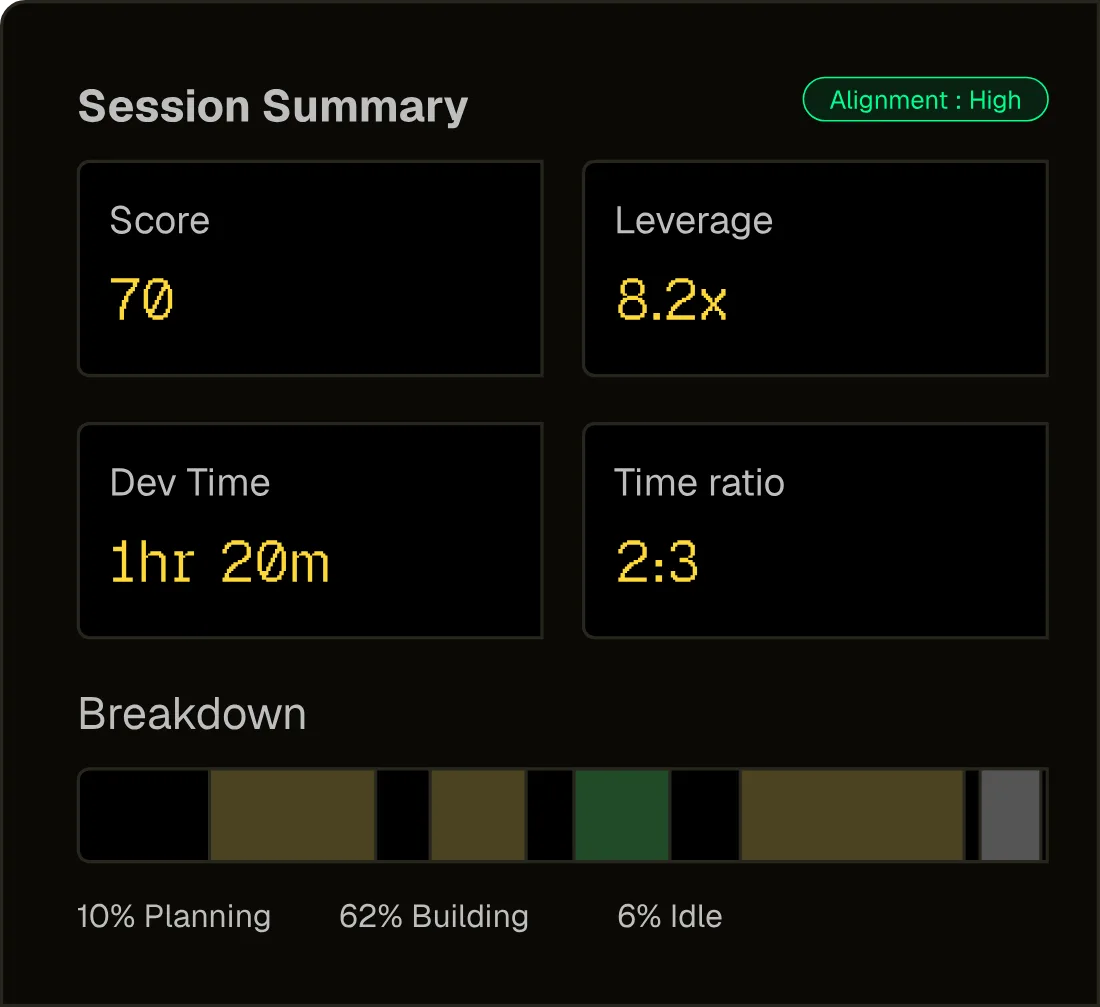
Outcome metrics
Time is attributed automatically to the tickets, issues, and effort it advanced, so the work maps to outcomes, not just activity. What shipped, what it took, and where it counted, ready to bill or report.
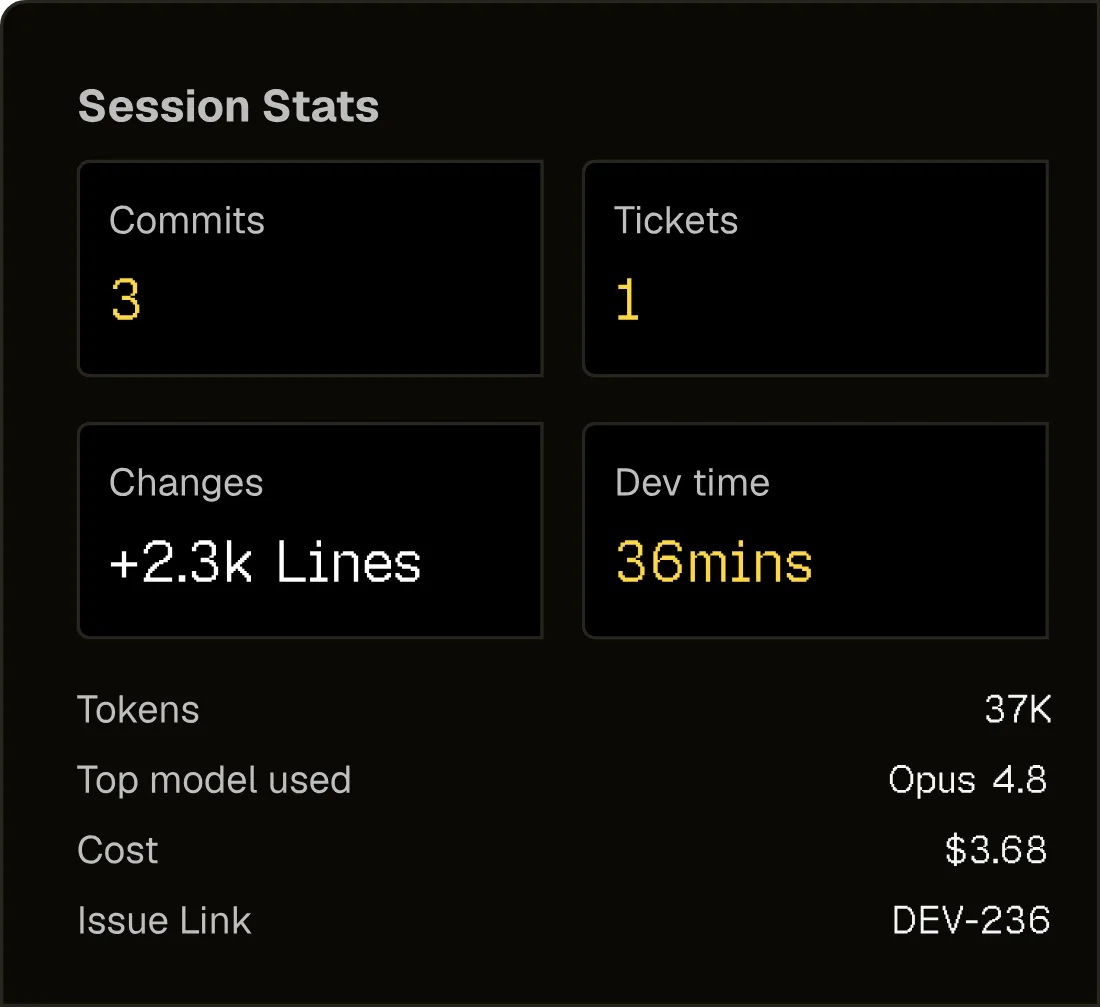
Set it and forget it
Install the extension, the Mac app, or run npx -y @devclocked/cli@latest setup for the terminal. Connect GitHub.
Write code, run agents, switch repos. Your trackers watch; you don’t.
Time Slice, Work Blocks, agent economics, and a ready-to-send timesheet appear automatically.
Works where you already work
One install per surface. One unified day across all of them.
Capture edits, debugging, and assisted coding activity straight from VS Code as you work.
Track Cursor sessions and agent-heavy edits without changing how developers code.
Wrap terminal workflows, Codex, Claude Code, Aider, scripts, and daemon capture.
Tie docs, research, and browser context back to active engineering work.
Track Codex sessions natively and ask about your hours, projects, and weekly progress inside Codex.
Track Claude Code sessions and query your live DevClocked stats without leaving the conversation.
Query your live DevClocked signal: sessions, focus, agent runs, token spend, project context, and shipped output.
npx -y @devclocked/cli@latest setupGo deeper on any piece
Go beyond commit counts to real session data.
Read moreCoding sessions that start and stop themselves.
Read moreAccurate timesheets, generated automatically.
Read moreTrack output, not people. No surveillance.
Read moreTurn tracked hours into client invoices.
Read moreNative menubar tracking for macOS.
Read moreCount Claude Code, Codex, and CLI work.
Read moreMetrics that predict real output.
Read moreAsk your tracker for a timesheet, an invoice, or a straight answer.
Read moreHow it compares
Manual trackers need you to remember. Git analytics only see what landed. DevClocked captures the whole work session, agents included.
Timer trackers
Toggl, Harvest, Clockify
Git analytics
Waydev, GitClear
DevClocked
FAQ
The short answers for teams comparing Git analytics, token counters, and agent observability.
Install once. DevClocked counts every session and every agent run, automatically.
One operating layer for humans and agents shipping in parallel.