
Automatic timetracking, fordevelopersAutomatic time tracking,for developers
Devclocked auto-attributes every minute of your work across IDEs, terminals, agent sessions and token spend, every repo, every commit. Your timesheets, invoices, and project insights write themselves.
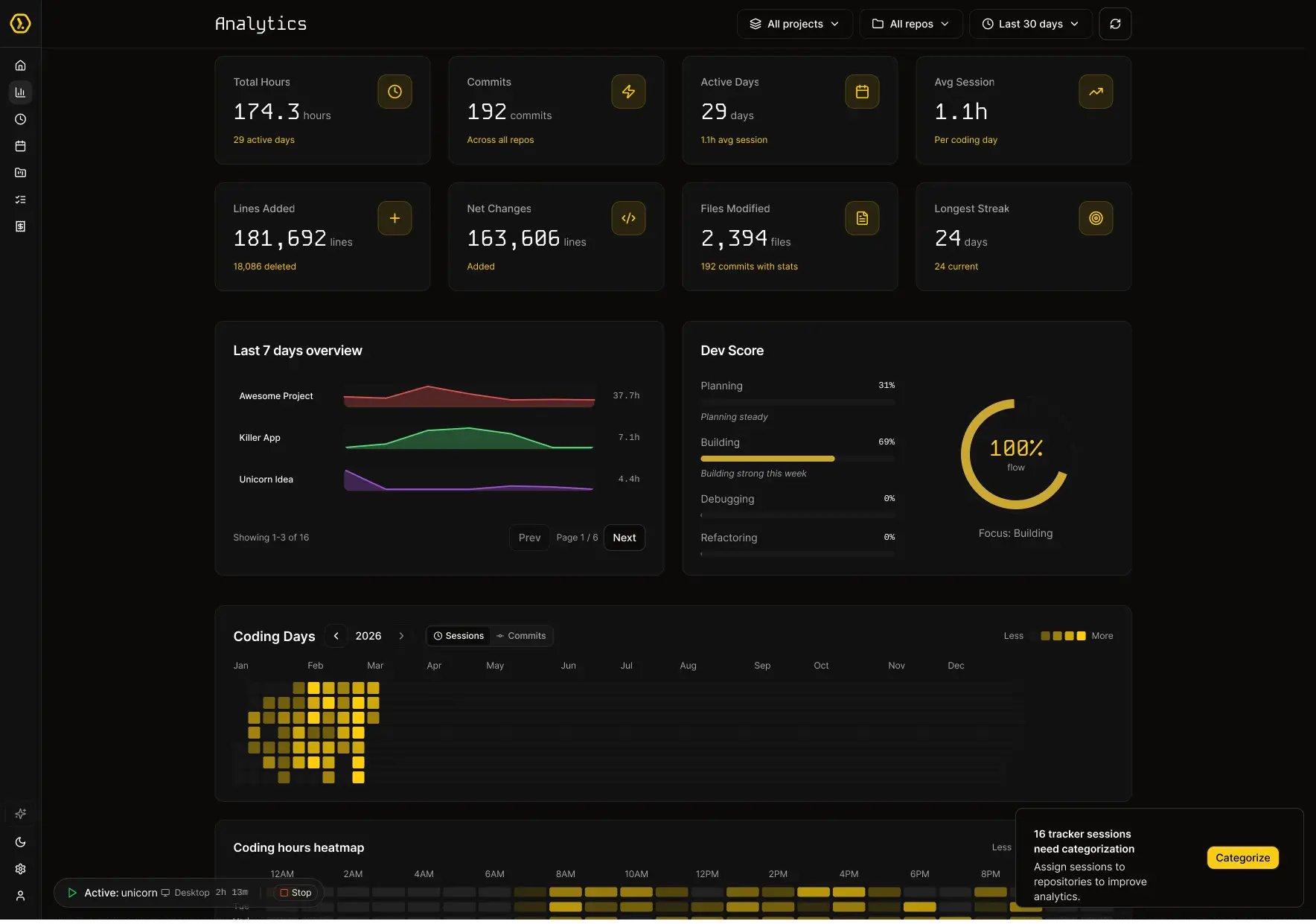
Hours analysed
Tokens tracked
Projects
Legacytrackerscounthours.DevClockedunderstandsoutput. EveryIDEedit,terminalcommand,ClaudeCodesession,andAIinteraction
 —unifiedintooneintelligencelayer.Finallyseewhatyouactuallyship.
Developer Intelligence
for the Agentic Era.
Track time, tokens and output with lightweight trackers run silently across any surface you work and automatically map to every project you work on.
VS Code / Cursor
Tracks file edits, debugging, and copilot usage in real time.
Terminal / CLI
Wrap any terminal workflow including Claude Code and Aider sessions.
Chrome / Brave
Captures research and docs browsing as part of your active coding sessions.
GitHub
Syncs commits and pull request activity for output analytics.
MCP Server
Query your DevClocked data from any MCP-compatible assistant.
Windsurf
Track assisted coding sessions and agent-heavy workflows seamlessly.
Every hour accounted for. Automatically.
Accurate Time Tracking For You or Agents
Whether you are writing code or orchestrating AI agents, every minute is captured automatically.
Track Token Usage Across Projects
Track token spend across Claude Code, Copilot, and other AI tools by session, project, and month.
Surface Deep Productivity Insights
Surface patterns in focus, flow, context switches, and output trends across your sessions.
No Creepy Surveillance or Screenshots
No screenshots, no keyloggers, no screen recording. Lightweight metadata only.
The most accurate multi-project, multi-agent tracker. Native on Mac.
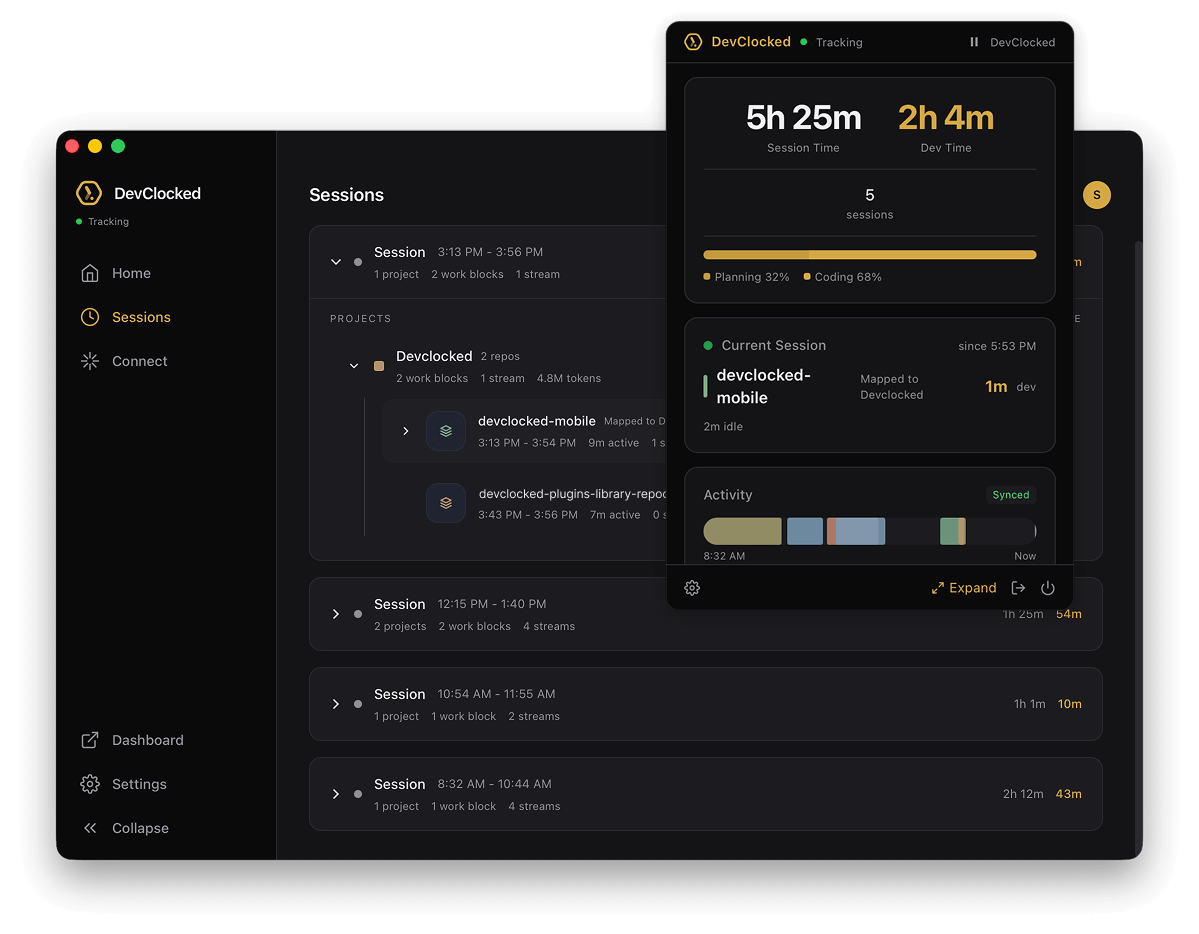
A menubar app that runs silently in the background. It detects your IDE, terminal, Claude Code sessions, and agent runs, then attributes everything to the right project.
Multi-project auto-detection: switch repos all day and stay correctly attributed.
Agent session capture: token in/out, duration, and costs per run.
Work block segmentation: focused coding, agent runs, and parallel tasks scored separately.
Built for How You Actually Work
IDE, terminal, AI assistant, browser — DevClocked sees it all and gives you the full picture. No manual input required.
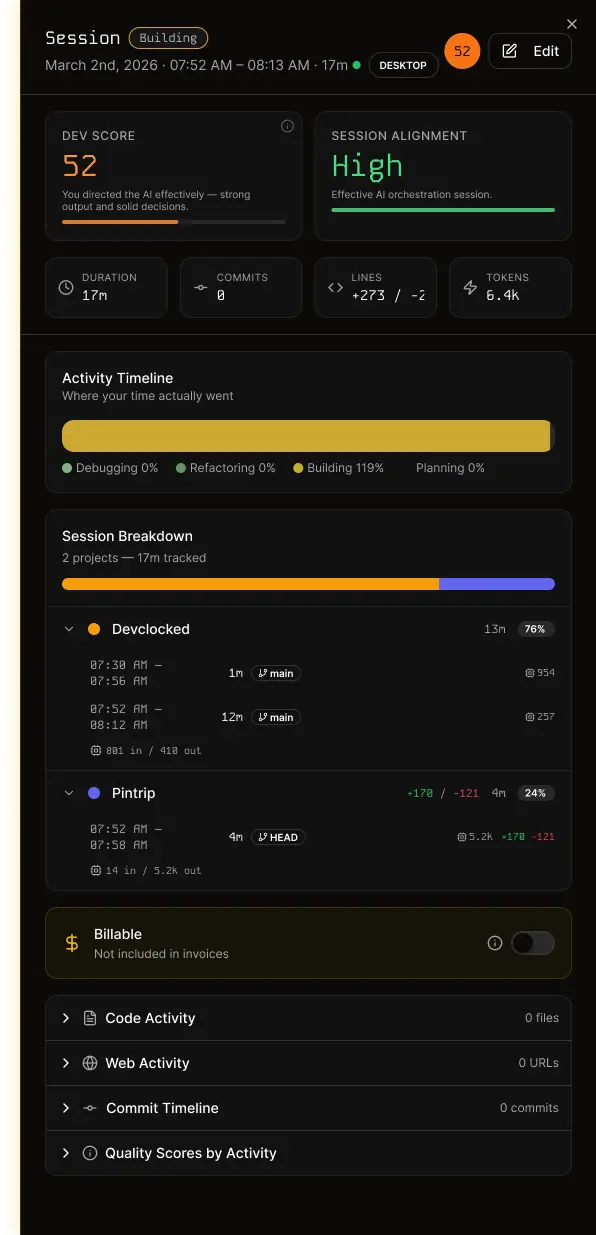
Session Stats
Activity Breakdown
Analytics
Full-Stack Visibility
See every session across IDE, terminal, Claude Code, and browser in one unified dashboard. Heatmaps, trends, and breakdowns — not just commit counts.
Automation
Zero-Touch Time Logging
Sessions start when you start coding — across VS Code, terminal, Mac app, and browser. No timers. No buttons. Idle detection handles the rest.
ACME Project
0 reposProjects
Multi-Repo Project Views
Map multiple repositories to a single project for unified time, commits, and session reporting per client or initiative.
Productivity
Session-Based Flow Scores
Every session gets a flow score. See your peak focus windows, spot context-switching patterns, and understand what's protecting or breaking your deep work.
Invoicing
Instant Invoices
Turn tracked sessions into professional invoices in one click. Hourly rates per project, auto-populated line items, PDF export.
Reporting
Client-Ready Timesheets
Automatic timesheets populated from real sessions. Detailed, transparent, and audit-ready — no more end-of-week guesswork.
The 10x engineer is real. Now you can measure it.
DevClocked measures leverage as the ratio of total shipped output to human hours invested across your work blocks and agents.
It tells you whether AI is acting as a force multiplier, or just expensive autocomplete.
This week
+0.8 vs last week
Human hours
22h
Agent hours
14h
Total tokens
1.2M
Shipped
3 features
Total tokens this month
2.4M
Cost per shipped feature
$3.20
Agent efficiency ratio
8.1x
Your AI spend, decoded.
Token spend is a real line item now. DevClocked breaks it down by project, session, and agent so spend ties directly to delivered output.
See whether your AI bill is compounding your output or getting burned on context resets and low-efficiency runs.
Your focus companion. In your pocket.
Pomodoro Focus Timer
A developer-first focus timer with customizable intervals, haptic nudges, and synchronized work blocks.
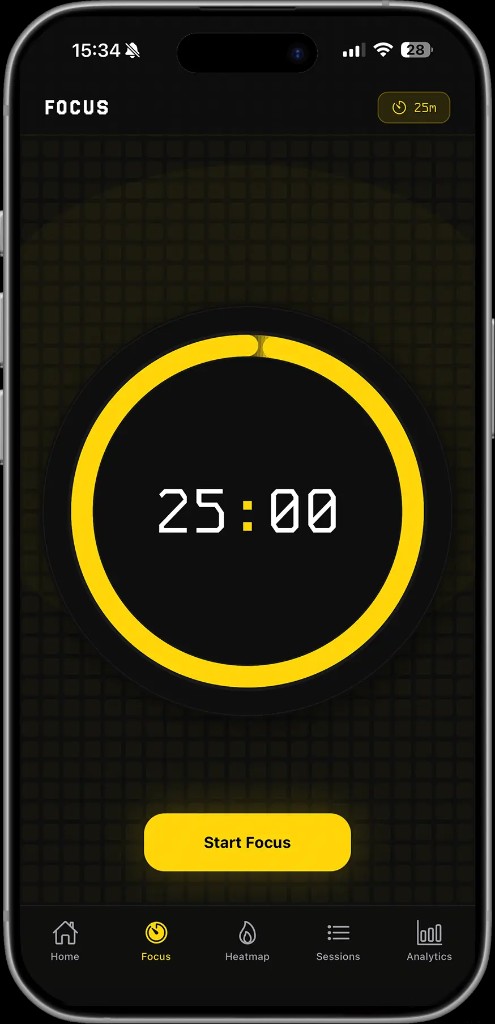
Full Analytics On The Go
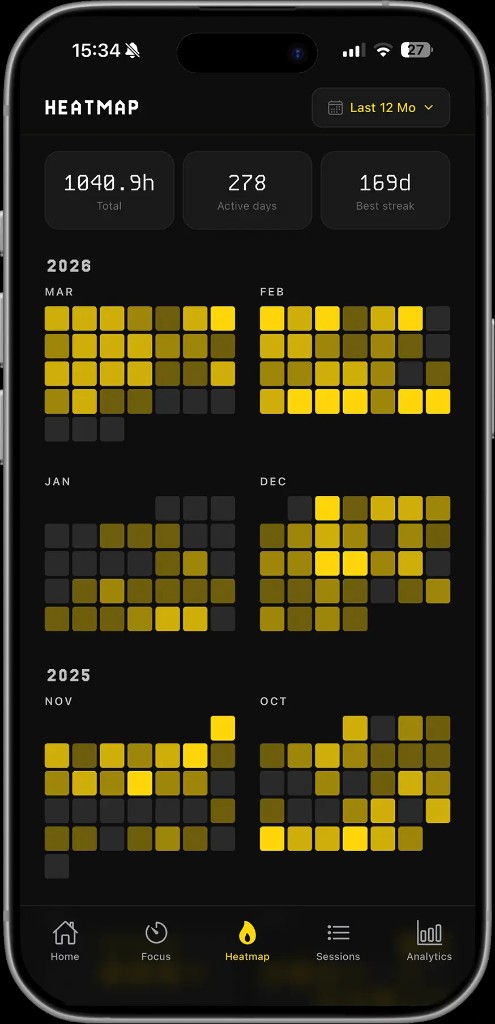
Review heatmaps, streaks, and project activity from your phone while keeping parity with desktop sessions.

Purpose-Built for Modern Dev
Legacy trackers were not built for AI-native workflows. DevClocked is.

Up and Running in Minutes
Install a tracker, start coding, and let DevClocked handle the rest.
Install
Add the extension, Mac app, CLI, or browser tracker. Takes under a minute.
Code
Work normally. Sessions and agent runs are stitched together automatically.
Understand
See what you actually ship by project, session, toolchain, and leverage score.
"The ability to record all my development work, across multiple agents, all working concurrently, has made project tracking infinitely better. I can now fully understand how much time I spent vs my agents, on which projects. When you manage multiple projects or teams, this is a no brainer."
Ryan Crabbe
Founder, Tota
"It was literally impossible to see how much time I was spending, coding and doing the other stuff. The intangibles. Now I've got full visibility over everything."
@sketchymedia
DevClocked User
Simple, Developer-Friendly Pricing
Start with a 7-day free trial, then choose the plan that fits your workflow.
Free Trial
7 days of Ultra access — try timesheets and invoicing too.
- Unlimited repos, projects, and history
- AI insights
- Timesheets + invoicing (trial)
Pro
The Insight plan: unlimited tracking + AI insights. No billing tools.
- Unlimited repos, projects, and history
- AI insights
- Timesheets (Ultra only)
- Invoicing + clients (Ultra only)
- Priority support
Ultra
Everything in Pro, plus timesheets and invoicing. Includes full token analytics and team-ready billing views.
- Everything in Pro
- Timesheets
- Invoicing + PDF exports
- Client management
- Priority support
Frequently Asked Questions
Everything you need to know about DevClocked
You’re already 10x. Now prove it.
Join developers using DevClocked to track real output across every project, every agent, and every line of code.