
DeveloperIntelligencefor the Agentic Era.Developer Intelligencefor the Agentic Era.
Automatic tracking and coding analytics across IDE, terminal, Claude Code, and browser. Privacy-first. Zero config.
Trusted by devs at









AI Token Tracking
See exactly what Claude Code, Copilot, and other AI tools cost per session, project, and month.
Zero-Config Sessions
Sessions start and stop automatically across IDE, terminal, and browser. No timers. No buttons.
Human vs AI Code
Know how much of your output is hand-written vs AI-generated. Context for every commit.
Privacy-First
No screenshots. No keyloggers. No screen recording. Lightweight metadata only — you own your data.
Legacytrackerscounthours.DevClockedunderstandsoutput. EveryIDEedit,terminalcommand,ClaudeCodesession,andAIinteraction
 —unifiedintooneintelligencelayer.Finallyseewhereyourtimeactuallygoes.
Built for How You Actually Work
IDE, terminal, AI assistant, browser — DevClocked sees it all and gives you the full picture. No manual input required.
Session Stats
Activity Breakdown
Analytics
Full-Stack Visibility
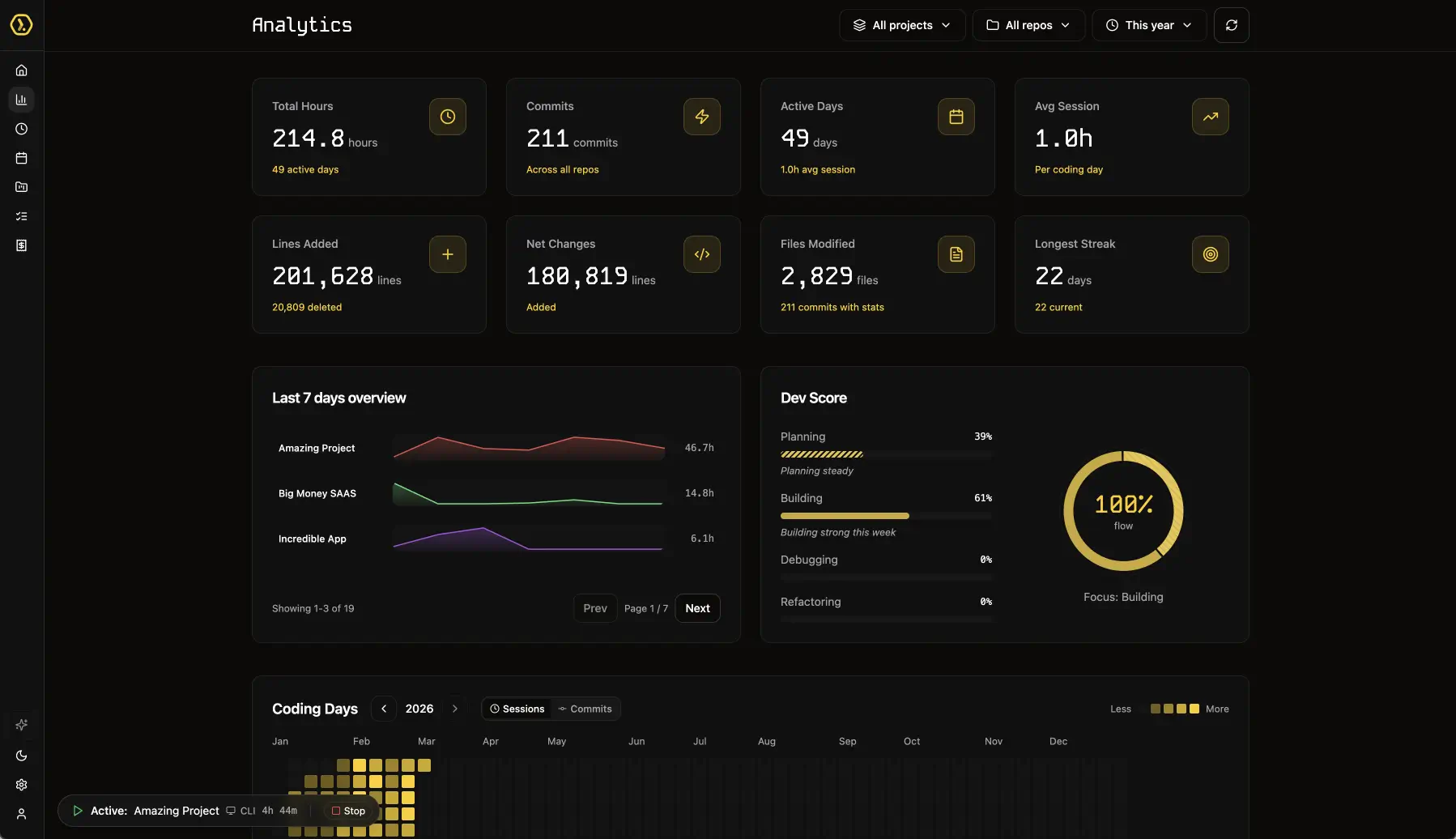
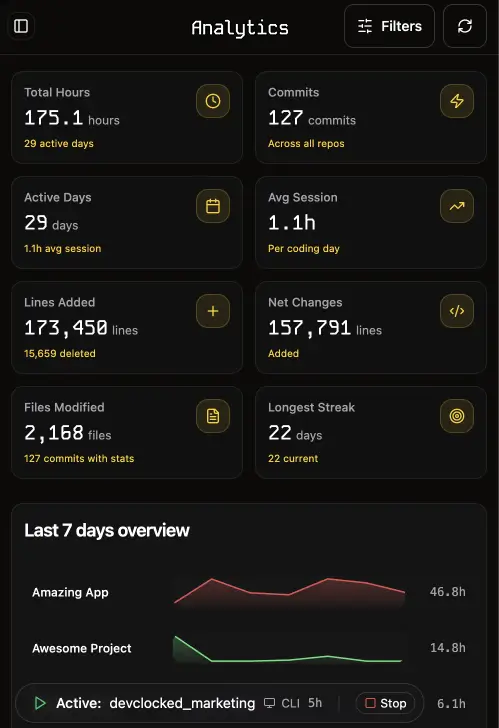
See every session across IDE, terminal, Claude Code, and browser in one unified dashboard. Heatmaps, trends, and breakdowns — not just commit counts.
Automation
Zero-Touch Time Logging
Sessions start when you start coding — across VS Code, terminal, Mac app, and browser. No timers. No buttons. Idle detection handles the rest.
ACME Project
0 reposProjects
Multi-Repo Project Views
Map multiple repositories to a single project for unified time, commits, and session reporting per client or initiative.
Productivity
Session-Based Flow Scores
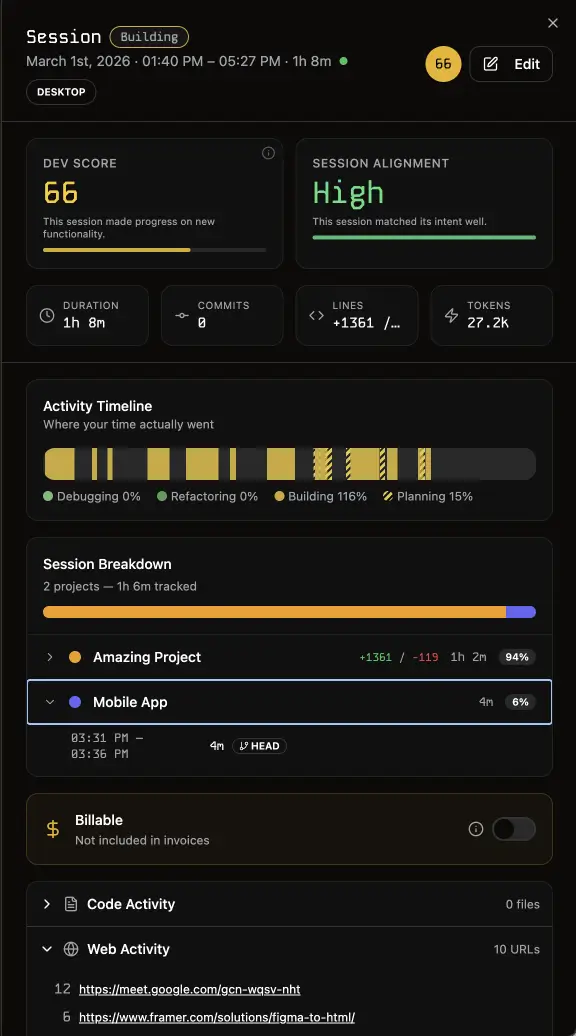
Every session gets a flow score. See your peak focus windows, spot context-switching patterns, and understand what's protecting or breaking your deep work.
Invoicing
Instant Invoices
Turn tracked sessions into professional invoices in one click. Hourly rates per project, auto-populated line items, PDF export.
Reporting
Client-Ready Timesheets
Automatic timesheets populated from real sessions. Detailed, transparent, and audit-ready — no more end-of-week guesswork.
Intelligence, Not Just Metrics
DevClocked doesn't just count hours — it understands how you work across every tool and gives you the insights to work better.
Automatic Sessions
Sessions start when you code and end when you stop. Multi-source detection across IDE, terminal, and browser — stitched into one timeline.
Deep Analytics
Heatmaps, flow scores, peak hours, and weekly trends. Understand your output at every level — daily habits to monthly patterns.
AI Spend Visibility
Track tokens, costs, and usage across Claude Code, Copilot, and other AI tools. Know what AI is costing you per project.
Multi-Project Views
Map multiple repos to a single project. See time, commits, and sessions unified per client or initiative.
Flow Intelligence
Session scoring identifies your peak focus windows and flags context-switching that kills deep work.
Privacy by Design
No screenshots, no keyloggers. Lightweight metadata only. Open-source trackers you can audit. You own your data.
One Platform,
Every Dev Surface
Lightweight trackers run silently across your entire workflow. Sessions stitch together automatically — even when you switch tools mid-flow.
VS Code / Cursor
Tracks file edits, debugging, and Copilot usage in real time.
Mac App
Native menubar app with background daemon — tracks Claude Code, Codex, and terminal sessions.
Terminal / CLI
Wrap any terminal session. Works with Claude Code, Aider, and shell workflows.
Chrome / Brave
Captures research, docs, and localhost previewing as part of your session.
GitHub
Syncs commits, PRs, and review activity for deep analytics.
MCP Server
Query your dev data from any AI assistant via Model Context Protocol.
Purpose-Built for Modern Dev
Legacy time trackers weren't built for AI-native workflows. DevClocked is.

Up and Running in Minutes
Install a tracker, start coding, and let DevClocked handle the rest.
Install
Add the VS Code extension, Mac app, CLI, or Chrome extension. Takes under a minute.
Code
Work like you normally do. Sessions are detected automatically across every tool.
Understand
Open your dashboard and see where your time goes — by project, tool, and day.
Simple, Developer-Friendly Pricing
Start with a 7-day free trial, then choose the plan that fits your workflow.
Free Trial
7 days of Ultra access — try timesheets and invoicing too.
- Unlimited repos, projects, and history
- AI insights
- Timesheets + invoicing (trial)
Pro
The Insight plan: unlimited tracking + AI insights. No billing tools.
- Unlimited repos, projects, and history
- AI insights
- Timesheets (Ultra only)
- Invoicing + clients (Ultra only)
- Priority support
Ultra
The Income plan: everything in Pro, plus timesheets, clients, and invoicing.
- Everything in Pro
- Timesheets
- Invoicing + PDF exports
- Client management
- Priority Support
Frequently Asked Questions
Everything you need to know about DevClocked
Start Understanding Your Code
Join developers using DevClocked to track sessions across IDE, terminal, and AI tools — automatically, privately, and without timers.